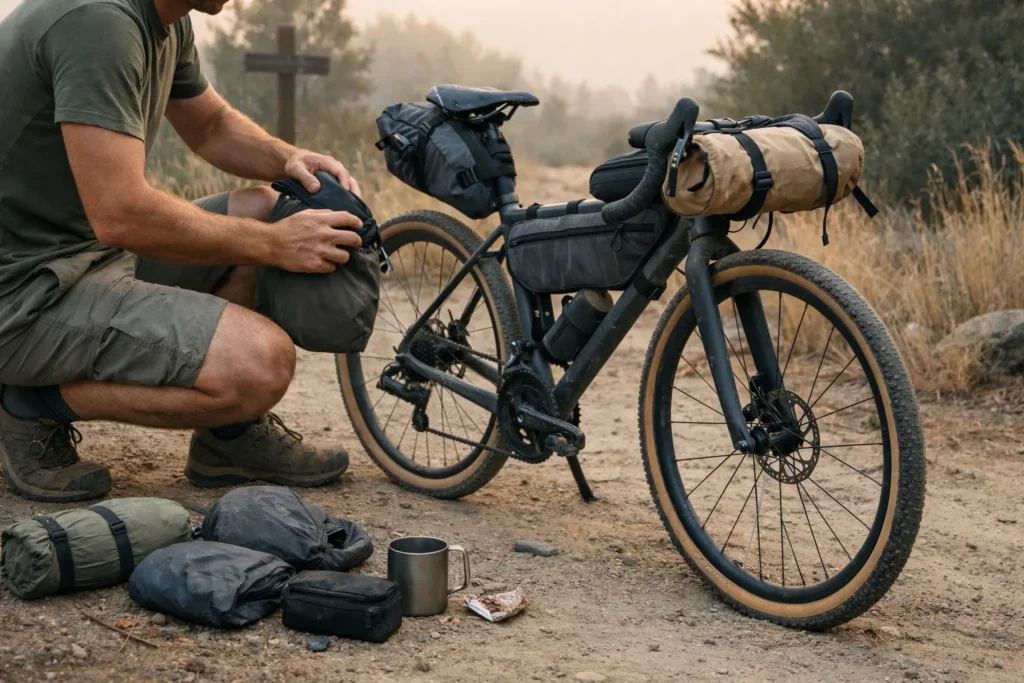
Mile 34, 6pm, a fork in a double-track with no signage. My phone showed a spinning wheel where the map should have been. I’d downloaded the route. I thought that meant I’d downloaded the map. It didn’t. I stood there for a solid four minutes in the kind of silence you only get when you’re 20 miles from the nearest town, watching my battery tick from 31% to 30%.
That’s the gap this article fills. If you’ve been wondering whether Gaia GPS vs AllTrails is even the right question — or what a dead phone 40 miles from pavement actually means for your navigation plan — everything below matters. For the step-by-step process of actually building a route before you load it into any app, see the bikepacking route planning guide. Which app to use and when, how offline maps actually work (it’s not what most people think), real battery numbers for multi-day rides, and when paper maps stop being a quaint backup and become the only backup.

This page contains affiliate links and may include sponsored content. As an Amazon Associate, I earn from qualifying purchases at no extra cost to you. Amazon links are labeled #ad; other affiliate links may be marked as “affiliate link,” “Sponsored,” or “(paid link).” Learn more.
Table of Contents
- Why “Just Download the App” Fails in the Backcountry
- Gaia GPS vs AllTrails: What Actually Matters for Bikepacking
- Which One to Use: A Decision Matrix
- How to Set Up Offline Navigation Properly
- Battery Reality: Phone vs Garmin on a Multi-Day Ride
- Paper Maps and Compass: When You Actually Need Them
- Pre-Trip Navigation Checklist
- Navigation Stack Builder
- Gear Picks
- Frequently Asked Questions
- Conclusion
Why “Just Download the App” Fails in the Backcountry
Here’s the thing almost every navigation guide skips: downloading a route is not the same as downloading a map.
When you save a GPX file or a trail in AllTrails, you’re saving a line — a set of coordinates. The map tiles underneath that line (the satellite imagery, the topo, the road names) are separate. They stream from the internet in real time by default. So you can have your route perfectly loaded and still see a blank grey screen the moment you lose signal, because the visual map never got saved to your device.

Both Gaia and AllTrails have proper offline map download features. But they work differently, they cover different territory reliably, and if you set them up wrong — or assume the default “save trail” does the job — you’ll find out the hard way at the worst possible time. The full workflow for offline navigation bikepacking is: plan your route on desktop, export the GPX, import it into your navigation app, then download the map tiles for the surrounding region — as a separate step.
This is why app choice matters less than understanding what you’re actually downloading. The USGS topographic map program has been the backbone of backcountry navigation for over a century — and understanding how topo layers work in digital apps is the same fundamental skill, just on a screen.
Gaia GPS vs AllTrails: What Actually Matters for Bikepacking
Both apps cost roughly the same annually. Both work offline when set up correctly. When bikepackers ask about the best apps for bike routes, these two come up first — but they’re built for different use cases, and those differences become very obvious on a loaded bike three days from a town.
| Feature | Gaia GPS | AllTrails | Verdict |
|---|---|---|---|
| Offline map download | Download any area by drawing a region. Full topo tiles saved locally. Works 100% in airplane mode. | Download specific trails + surrounding area. “Offline Areas” in newer versions covers broader regions. | Gaia — more control, more reliable coverage |
| Map layers for bikepacking | USGS topo, satellite, public land ownership, forest service roads, slope angle shading, cell coverage overlay | Curated trail network, satellite, OpenCycleMap layer | Gaia — forest service roads and land ownership are game-changers |
| Bike-legal trail accuracy | Shows all tracks including unverified roads. You need to know what’s legal. | Filters by activity type. Better for finding established bike-legal trails. | AllTrails — better for established route discovery |
| GPX import | Fast, clean. Handles complex multi-day routes without issues. | Works but interface is less intuitive for custom routes. Better for pre-built routes. | Gaia — built for it |
| Offline download size (200-mile remote loop) | ~400-800MB depending on layers and zoom levels selected | ~150-350MB for equivalent coverage (fewer layer options) | Tie — both manageable on modern phones |
| Interface complexity | Steep learning curve. Overwhelming until you configure it once. | Intuitive from day one. Almost no setup required. | AllTrails — matters on day 5 when your brain is fried |
| Battery drain (screen-on navigation) | Similar to AllTrails. GPS chip is the main drain regardless of app. | Slightly lower in practice due to simpler map rendering. | Essentially equal |
| Subscription cost | ~$60/year (Premium) or ~$80/year (Premium+ / Outside+ bundle) | ~$36/year (Plus) or ~$80/year (Peak) | AllTrails Plus is cheaper for basic needs; Gaia Premium+ offers superior map layers |
| Community trail data | Sparse. No reviews, no conditions reports. | Rich. Conditions updates, photos, recent completions. | AllTrails — genuinely useful for route research |
The short version: Gaia is a navigation tool for people who want complete control over their map data. AllTrails is a trail discovery tool that also does navigation.
On established bikepacking routes with good community data, AllTrails holds up fine. On remote, custom, or partially off-trail routes where you need to know if that track crosses public land — Gaia wins without much debate. It’s also the better tool for marking waypoints: campsites, water sources, and bail-out roads you’ve identified during planning.
For most serious multi-day trips, the real answer to Gaia GPS vs AllTrails is: use Gaia in the field and AllTrails for planning.
Which One to Use: A Decision Matrix
Put Gaia vs AllTrails side by side for bikepacking and the decision usually comes down to one question: is your route custom or established?
Choose AllTrails if: your route is 70%+ established, named bike trails (e.g. Katy Trail, C&O Canal, Great Allegheny Passage); you want conditions reports and recent rider photos; you’re new to navigation apps; or trips are 1-3 days with at least occasional signal.
Choose Gaia if: your route crosses BLM land, Forest Service roads, or any unmarked doubletrack; you’re building a custom route; you need land ownership boundaries; or your trip is 4+ days, largely off-grid, in remote terrain.
Use both if: you’re doing research and final navigation on the same trip — AllTrails for finding and vetting the route, Gaia as your primary navigation tool in the field. For example: planning a custom 7-day loop through the San Juans, AllTrails to identify bike-legal connectors, Gaia to navigate them.
Navigation Stack Builder
Answer 4 questions — get your app, power, and backup plan.
How long is your trip?
How remote is your route?
What’s your navigation gear budget?
Do you already own a Garmin or cycling GPS?
How to Set Up Offline Navigation Properly
This is the section most guides skip. Here's the actual process for each app — and the test you must run before you leave home.
Gaia GPS offline setup
- Install Gaia and log in. Premium is required for offline maps.
- Load your route. Import your GPX file or build the route in-app.
- Download the map region. Tap the download icon, draw a region around your full route with buffer on all sides. Select USGS Topo + Public Lands as a minimum. Choose zoom levels 10-15 for a good balance of detail and file size.
- Download a second, smaller region at higher zoom (levels 15-16) for any technically complex sections.
- Verify storage. Confirm downloaded maps appear in your offline maps list.
- Test in airplane mode. Enable airplane mode, kill WiFi, open Gaia. Navigate to the center of your planned route. If the map loads and your route line appears — you're good. Grey tiles mean the download failed or didn't cover that area.
AllTrails offline setup
- Find or import your route. AllTrails Plus/Peak required for offline.
- Tap "Download" on the trail page. This saves the trail + map tiles for the immediate surrounding area.
- For larger areas, use Offline Areas: Settings → Offline Maps → Add Area → draw your region.
- Test in airplane mode. Same as above — navigate to the middle of your route in airplane mode before you leave.
The airplane mode test takes three minutes and has a 100% return on investment. Do it every single trip, without exception.
What doesn't work offline (in either app)
- Search — you can't look up locations without signal
- Community data in AllTrails (reviews, photos, conditions updates)
- Gaia's cell coverage overlay (needs signal to update)
- Any map layer you didn't explicitly download
Battery Reality: Phone vs Garmin on a Multi-Day Ride
Screen-on GPS navigation on a modern smartphone burns roughly 15-25% of a typical battery per hour, depending on brightness, temperature, and whether you're streaming or working offline. On a 7-hour riding day with navigation active the whole time, that's your full battery gone before you stop for the night.
The case for Garmin for bikepacking starts here — dedicated units run for days on AA batteries, completely independent of your phone. For the full breakdown of power strategy on multi-day rides, the bikepacking power and charging guide covers what to carry and how to size it for your trip length.
| Setup | Battery after 8hr day | Notes |
|---|---|---|
| Phone only (screen on, no power bank) | Dead. Possibly dead by 3pm. | Not viable for multi-day remote trips |
| Phone + screen off (glance-only navigation) | ~40-60% remaining | Turn screen off between checks. Use sound/vibration alerts. |
| Phone + 10,000 mAh power bank | Effectively unlimited for 2-3 days | Charge overnight. Weight: ~180g. Sweet spot for most trips. |
| Garmin eTrex 32x (standalone GPS) | 25 hours per 2 AA batteries | Carry 2 spare sets. Reliable but no app ecosystem. ~$280. |
| Garmin Edge 1040 Solar | 45+ hours battery, indefinite with sun | Designed for cycling. Best-in-class for serious bikepacking. ~$600. |
The three-tier framework most experienced bikepackers land on:
- Level 1 — Phone + power bank. Fine for 3-5 day trips on established routes with occasional signal windows. Charge at camp nightly.
- Level 2 — Phone + power bank + Garmin Edge. The Garmin runs turn-by-turn all day. Phone stays in your bag as backup and for camp tasks. Best balance of weight, cost, and redundancy for serious trips.
- Level 3 — Garmin Edge + paper maps + compass. Remote expeditions, power uncertainty, places where a dead phone is a survival issue.
Below 40°F, lithium batteries lose 20-30% of capacity. If you're riding in early-season mountain conditions, build that buffer into your power plan before you leave. The winter bikepacking gear guide covers the full cold-weather setup, from layering to battery management.
Paper Maps and Compass: When You Actually Need Them
This isn't about nostalgia. Paper maps for navigation don't need battery. They don't crash. They work when your phone goes in a river. In genuinely remote terrain, the skill gap between "I have a map" and "I can use a map" is the difference between a detour and a genuine problem.
When you actually need paper backup
- Any trip where you'll be more than 20 miles from a road for more than one night
- Routes crossing unmarked or multi-track terrain
- Any trip in extreme cold where battery failure is a real risk
- Remote terrain with no carrier coverage
How to orient a map (the basics)
When it comes to using a compass with a map, the fundamentals are simpler than most riders expect — and worth an afternoon of practice before you need them:
- Find your location on the map using terrain features — ridgelines, drainages, junctions you've passed. Practice this before you need to do it under pressure.
- Orient the map to north. Hold the compass flat, rotate the map until the north arrow aligns with the needle. The map now mirrors the terrain around you.
- Set declination. Magnetic north and map north differ by several degrees. In the western US this is typically 10-15° east. Look it up for your region, set it on an adjustable compass, and your bearing readings will be accurate.
- Take a bearing to your next landmark. Point the direction of travel arrow at your target. Rotate the housing until orienting lines align with map north. The number at the index line is your bearing. Follow it.
If your route goes deep into unmarked terrain, spend an afternoon practicing this before you leave — ideally somewhere you already know well so you can verify your bearings against reality. National Geographic Trails Illustrated maps are waterproof and widely available for wilderness areas. A decent compass runs $15-30.
If you're combining map-and-compass navigation with overnight wild camping, the solo wild camping safety guide covers campsite selection and route awareness when you won't see another person for days.
Waterproofing your paper map
A folded topo in a jersey pocket is useless after 20 minutes of rain — I've watched a full day's route turn to pulp by mile 8. A waterproof handlebar map case keeps the relevant section visible without stopping to dig through a bag, and on day four when you're running on fumes, that matters more than it sounds.
Pre-Trip Navigation Checklist
Run this the night before every trip. It takes less than ten minutes.
Gear Picks
Navigation fails at the margins — when it's cold, wet, or day seven of eight. These three items cover those margins without adding much weight or cost.
Garmin eTrex 32x (~$280) — the go-to Garmin for bikepacking trips where battery is the limiting factor. 25-hour battery on two AA batteries. No subscription, no app ecosystem, no fuss. It won't show you trail conditions or community photos, but it will navigate you home when everything else fails. Carry two spare AA sets and you're covered for a week. For managing power across all your devices on tour, the bikepacking power and charging setup guide covers the full picture.
Waterproof handlebar map case (~$30-45) — an Ortlieb or similar keeps your paper topo visible without stopping to dig through a bag. More useful than it sounds on day four when your brain is running at 60%.
Suunto A-10 compass (~$20) — fixed declination, clear baseplate, accurate enough for trail navigation. Set the declination for your region once and it's ready. No batteries. No screen. Never fails in the cold.
Garmin inReach Messenger — for trips 4+ days in genuinely remote terrain, a satellite communicator is the one item that bridges the gap between "I have offline maps" and "I can get help if I need it." Two-way messaging, SOS, and location sharing without cell signal. If the monthly plan cost is a factor, the ZOLEO Satellite Communicator does the same core job at a lower device price and cheaper monthly rate — worth comparing before you commit.
Satellite communicator for remote trips:
Garmin inReach Messenger — Two-way satellite messaging + SOS for remote multi-day routes where cell signal doesn't exist.
Frequently Asked Questions
Conclusion
The debate between Gaia GPS vs AllTrails for bikepacking navigation ends the same way every time: it depends on where you're riding and how remote you're going. For routes with signal and community data, AllTrails works. For BLM land, forest service roads, and anything custom or off-grid, Gaia is the right tool. Either way, offline navigation bikepacking requires more than choosing an app — it requires testing it before you leave, having a power plan, and knowing what to do when everything electronic fails. Set up your app, run the airplane mode test, charge the power bank, fold the map. Do it before you leave and the trail handles itself. Looking for routes to navigate? The verified bikepacking routes guide has options ready to load.
This offline navigation guide is for general education. Trail conditions, app features, and device specs change — always verify current information before a remote trip and ride within your skill level.